More from the screen you already have
EX Control is a settings app for Geely head units. It adds driver profiles, a control panel over Android Auto and CarPlay, climate widgets and fixes for wireless projection, in the look of the car's own settings.
What it does
Most of EX Control is free. A subscription unlocks profiles, the quick panel, home screen widgets, the automatic camera, screen mirroring, the dashcam, Spectre Mode and the live camera in Home Assistant. Automatic regeneration is sold on its own.
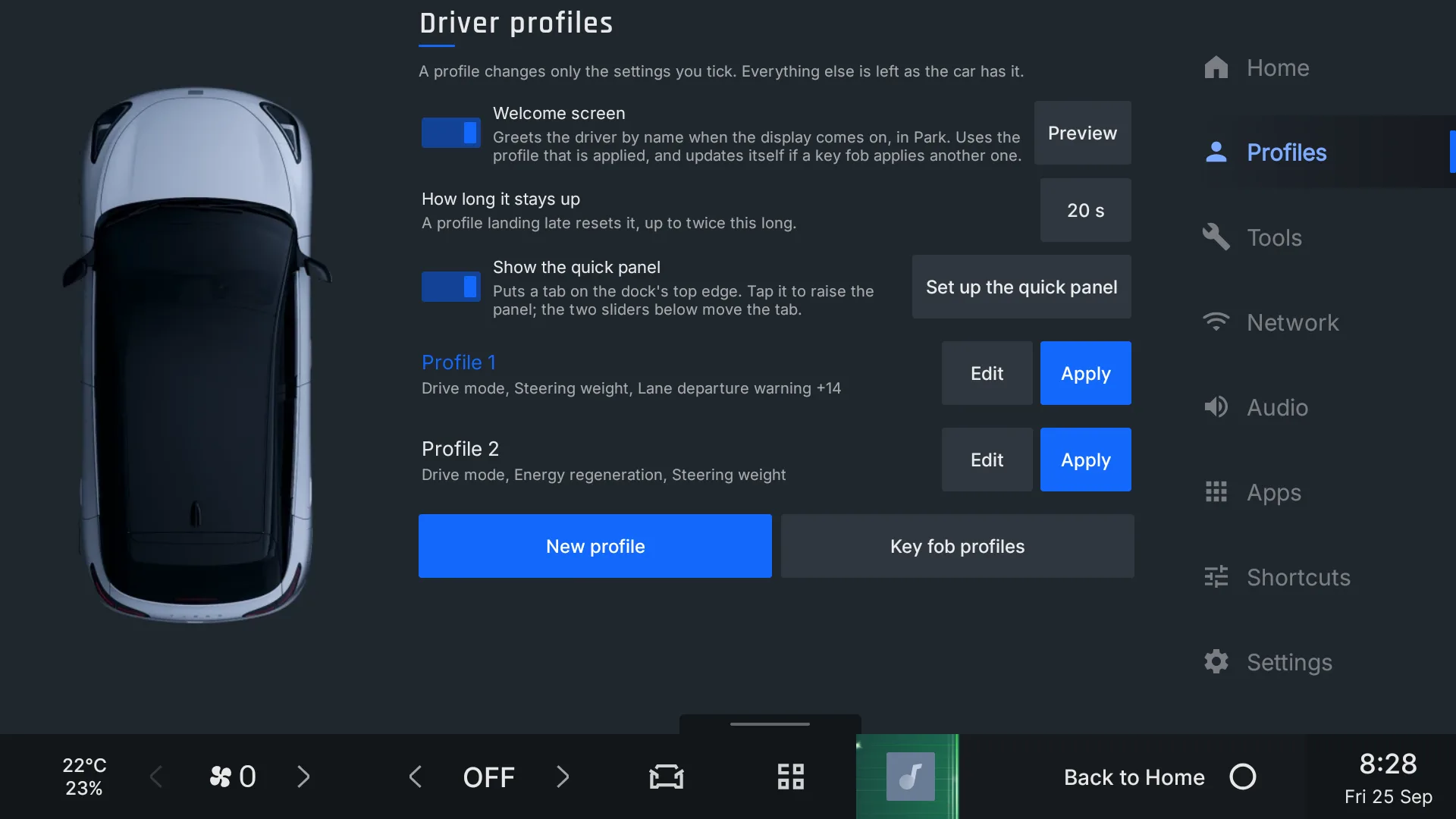
Driver profilesEach driver gets their car back with one tap, or by unlocking with their own key.
- Profiles Subscription
Apply only the settings you chose: drive mode, regeneration, steering weight, climate, seat and wheel heating, cabin lighting and driver assists.
- Key fob link Subscription
Unlocking with a particular key applies that driver's profile.
- Remembered climate Subscription
Each driver gets back the temperature and fan they had at the end of their last drive.
- Preferred phone Subscription
A profile can say which phone Android Auto or CarPlay connects to.
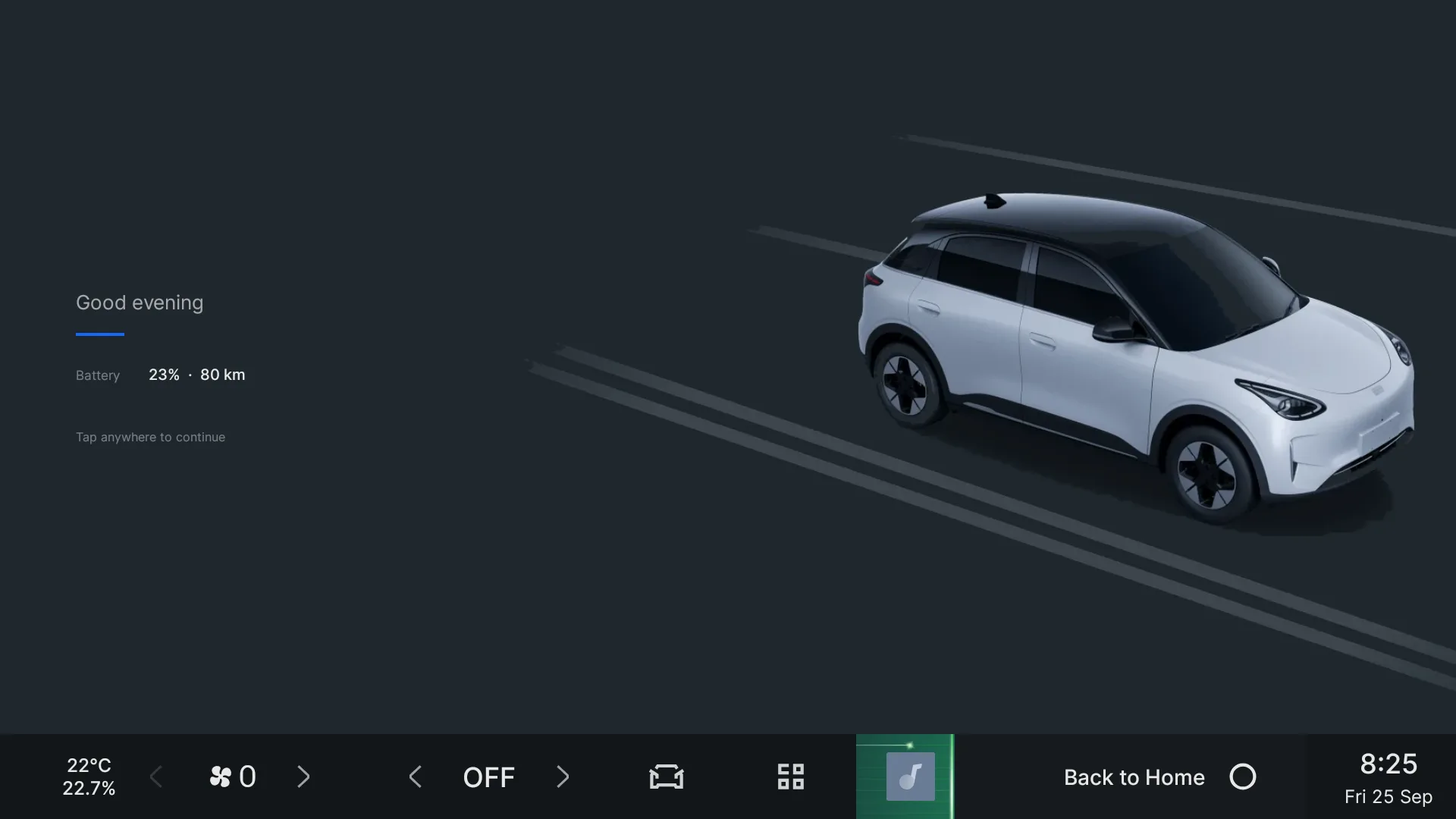
- Welcome screen Subscription
A greeting for the driver when the screen comes on.
- Profile widget Subscription
Switch driver from the home screen.
DrivingRegeneration and drive mode where your hands already are.
- Quick panel Subscription
A strip that rises from the dock over any app, Android Auto and CarPlay included: profile, drive mode, regeneration, climate, camera and shortcuts.
- Automatic regeneration Add-on
The car learns where you change the regeneration level, and changes it for you next time you pass.
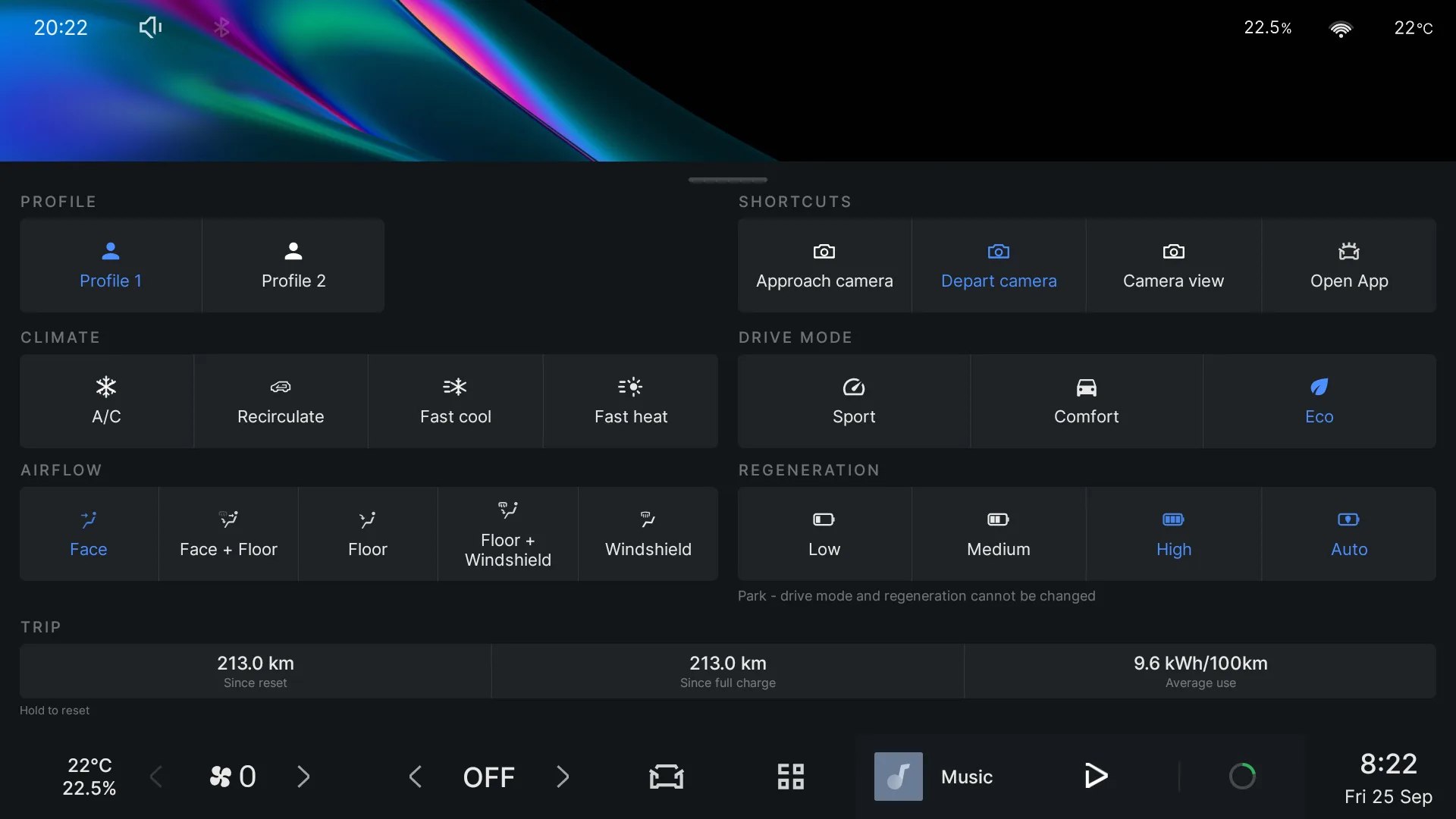
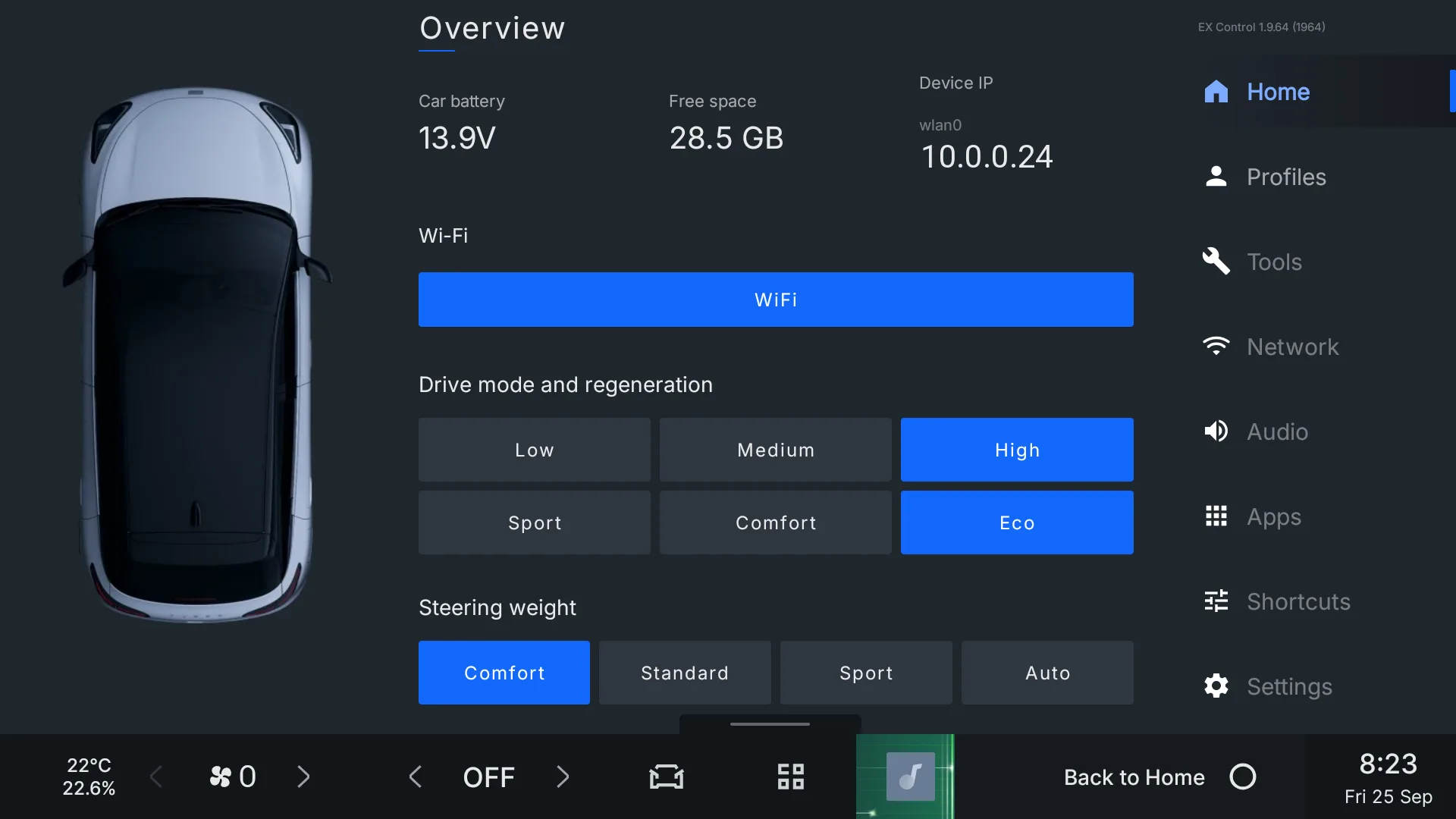
- Drive mode and regeneration buttons Free
Sport, Comfort, Eco and the regeneration level in one tap, with a reason shown when the car refuses in Park.
- Steering wheel modes Free
Hold the voice key to turn the wheel buttons into drive mode and regeneration controls.
- Steering weight Free
Change how heavy the steering feels from the home screen.
- Trip readouts Free
Distance since reset, distance since the last full charge, and current consumption.
- Play and pause from the wheel Free
Long-press volume down to pause, volume up to play.
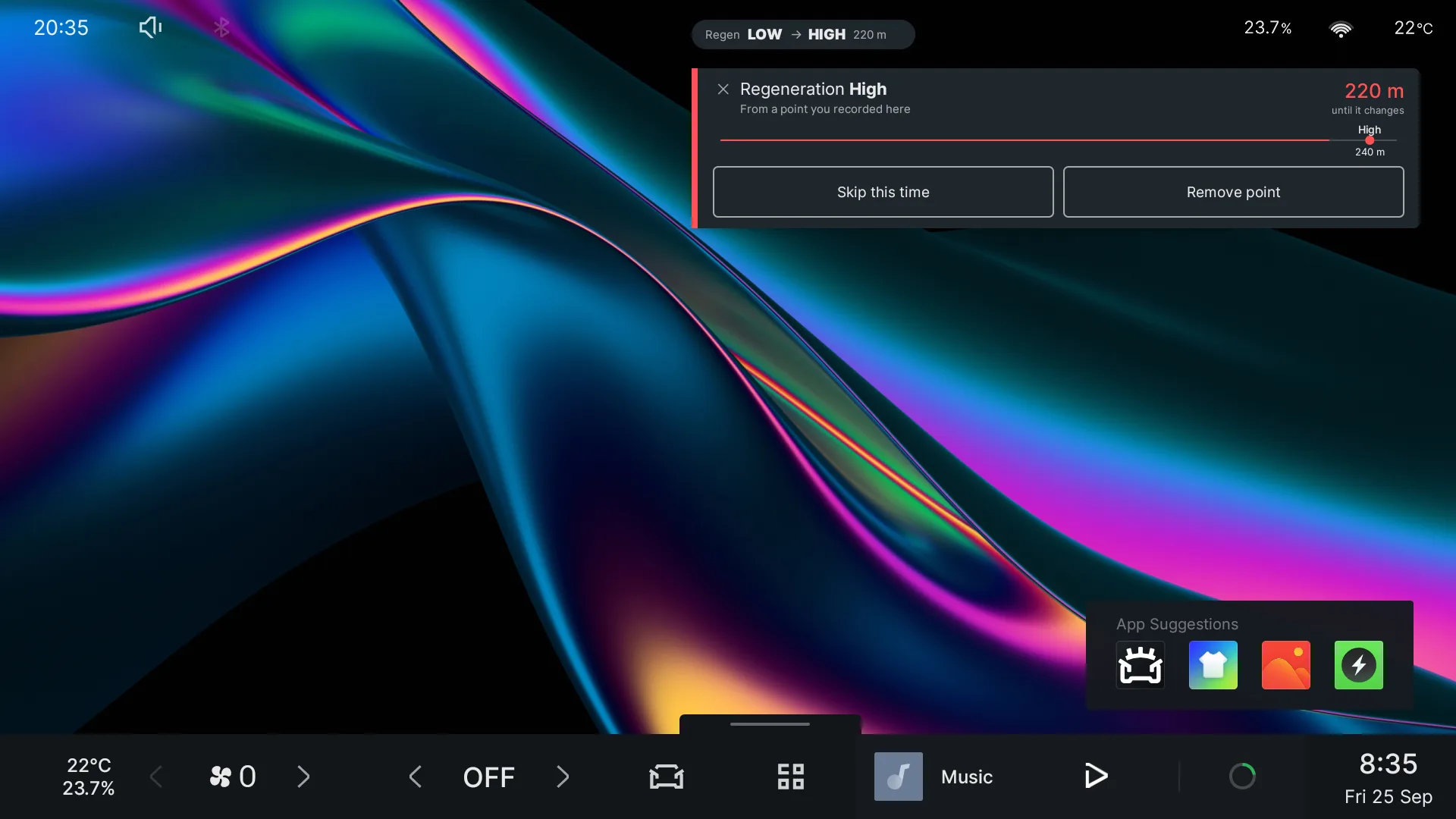
Android Auto and CarPlayWireless projection that connects to the right phone and stays connected.
- Screen mirroring SubscriptionBeta
The head unit appears as a Miracast screen, so you can show your phone's screen on it while parked.
- Projection fixes Free
Bluetooth comes back after CarPlay, car Wi-Fi can stay on while projecting, and CarPlay is not tried on Android phones.
- Per-phone control Free
See which paired phones use Android Auto or CarPlay, and turn either off for one phone.
- Full-screen Android Auto Free
Use the whole screen, or keep the dock visible above it.
- Wi-Fi when the car wakes Free
Wi-Fi comes on at unlock, and can stay on while charging.
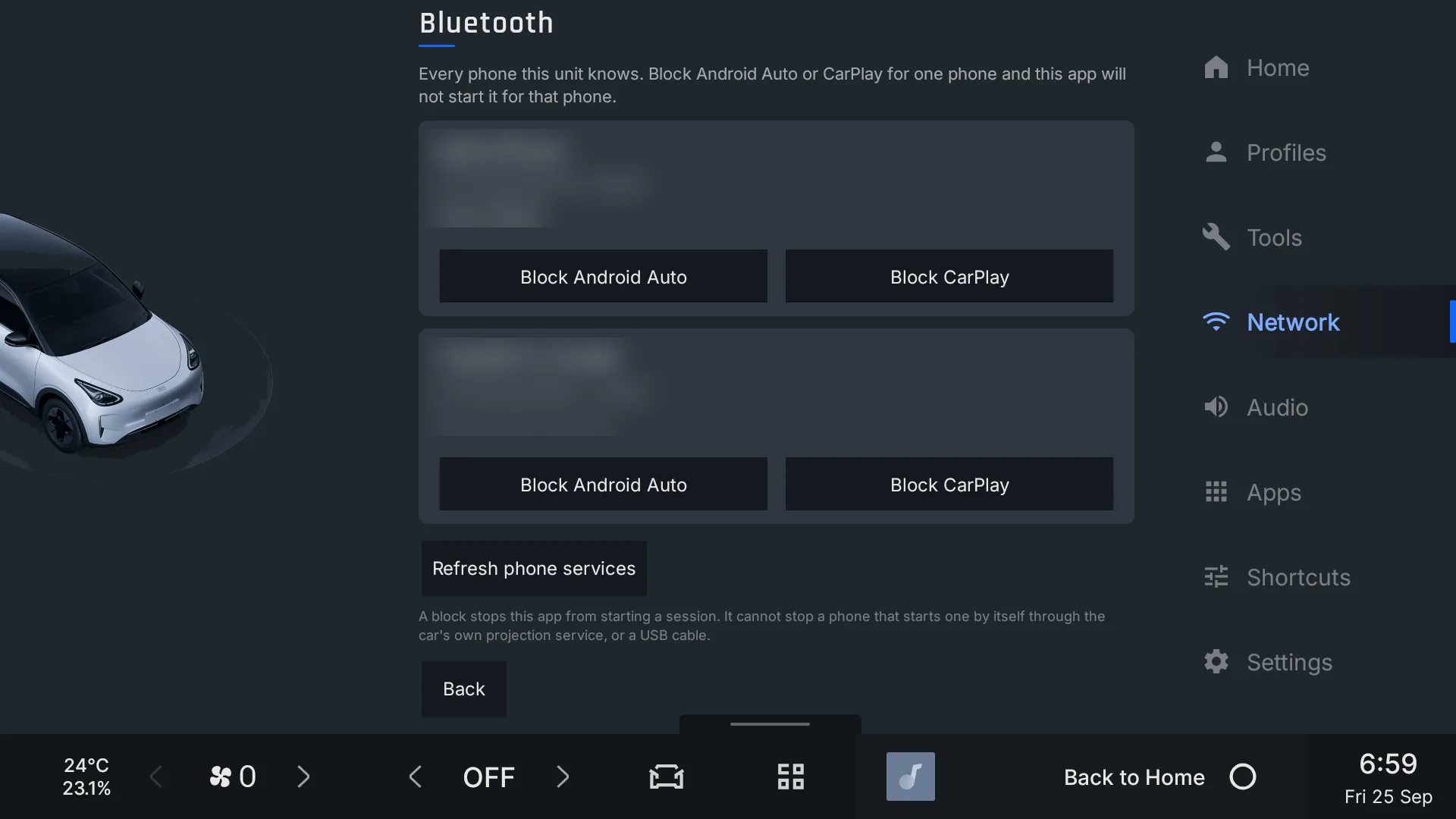
ClimateThe controls you use most, on the home screen.
- Climate widget Subscription
Temperature, fan, airflow, A/C, recirculation and heating on one home-screen card. Hide what your car does not have.
- Recirculation that stays Free
Turning the A/C off no longer lets outside air in.
- Climate schedules Free
Timed steps of temperature, fan and recirculation.
Camera and lightingSeeing out, recording, and the cabin at night.
- Dashcam SubscriptionBeta
Records the car's own cameras while you drive, one clip a minute, and deletes the oldest when the space you set is full. Pick which cameras, play clips back on the screen, and keep the ones that matter.
- Spectre Mode SubscriptionBeta
Keeps the dashcam recording while you are parked, with the screen dark and climate off. It stops by itself when you drive off or the battery reaches the level you set.
- Live camera in Home Assistant SubscriptionBeta
Watch the car's cameras from Home Assistant, from anywhere. Video only flows while you are watching, and stops after a few minutes.
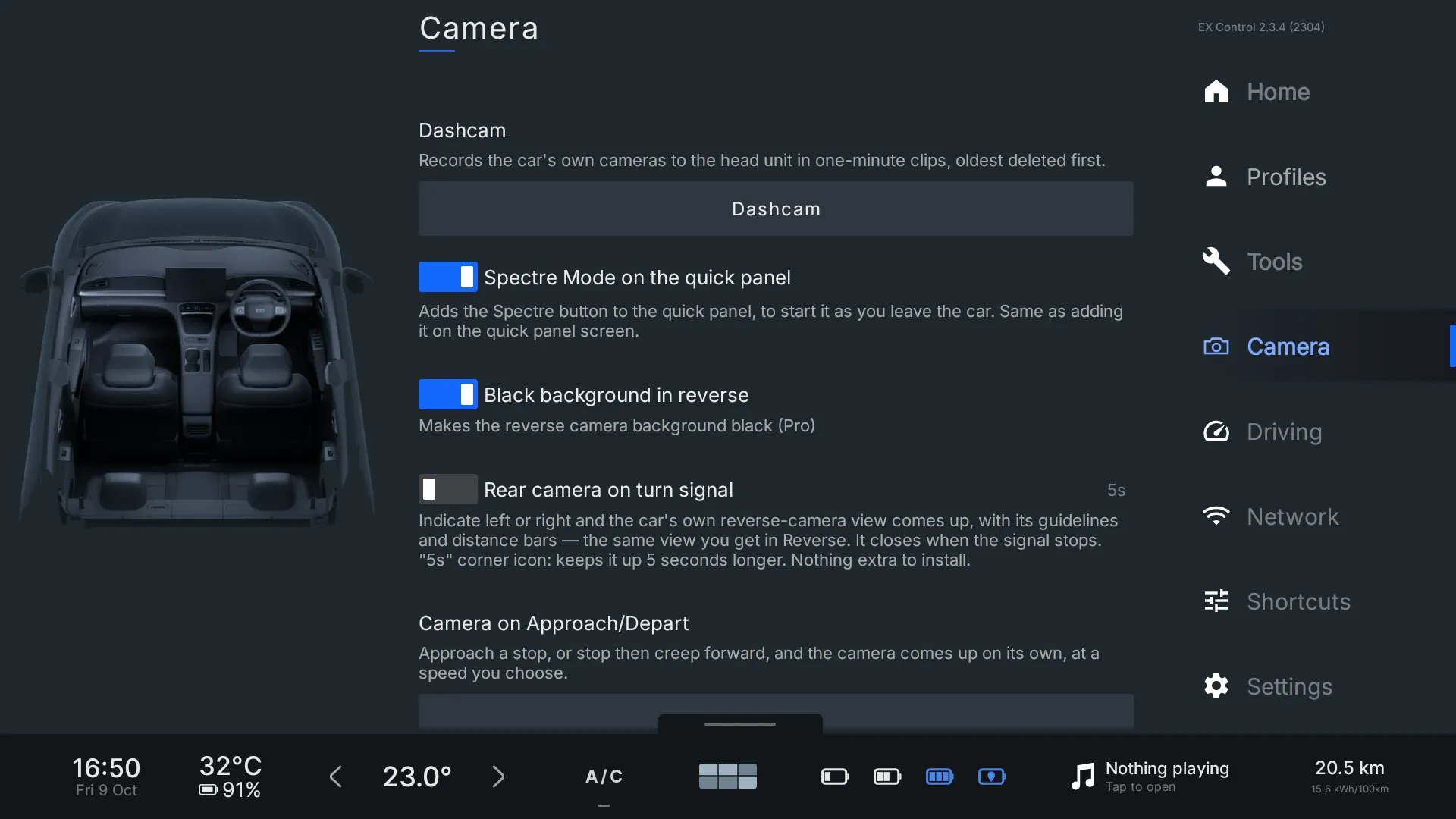
- Camera on approach / depart Subscription
The parking camera comes up by itself when you creep up to something after a stop, or pull away slowly.
- Camera on indicator Free
The side view appears in the car's own camera screen when you indicate.
- Cabin lighting schedule Free
Ambient lights on or off, or only between set times.
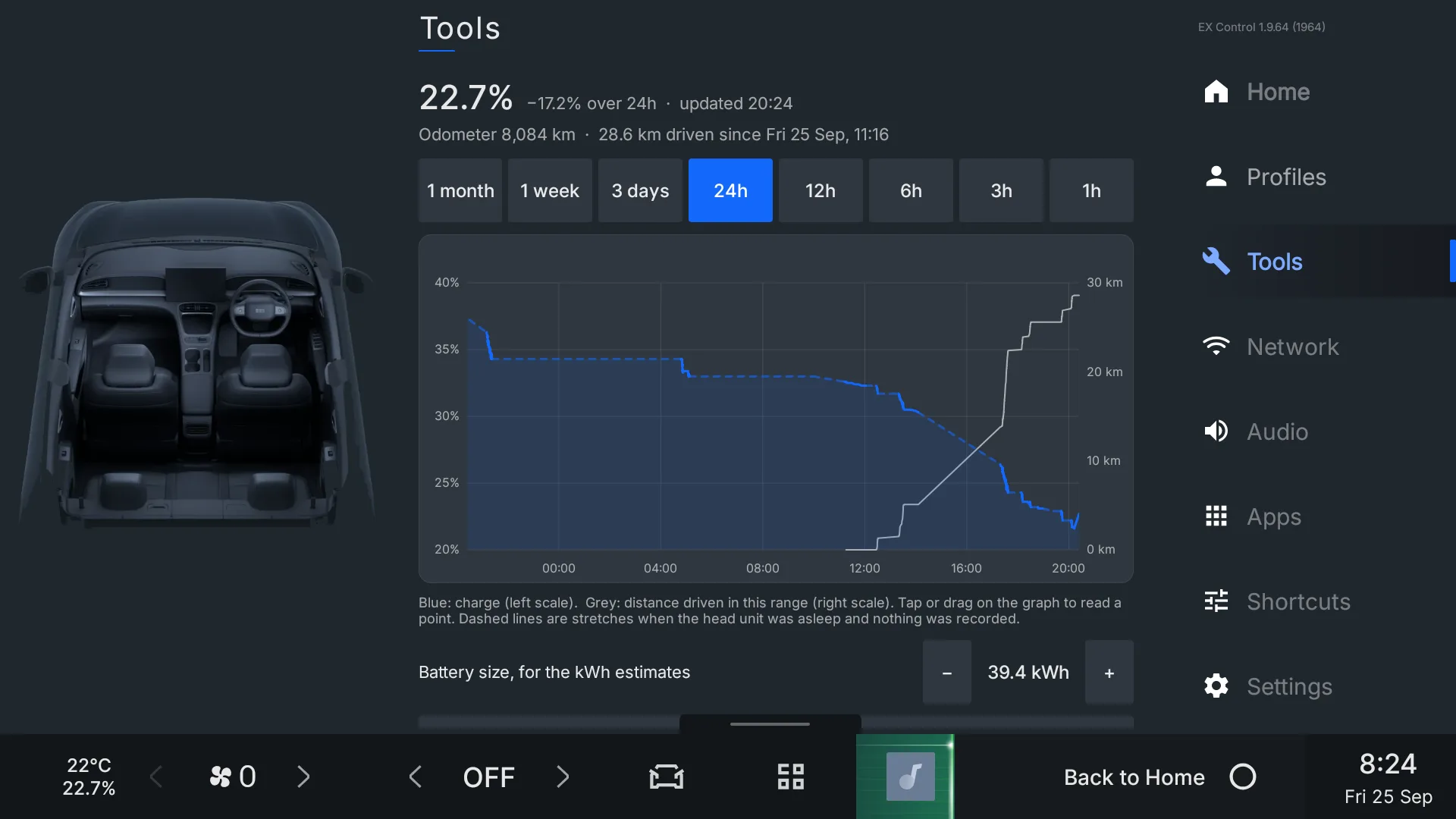
Tools and appsThe head unit, easier to live with.
- Battery history Free
Charge level and mileage over up to a month, with a tool to measure between two points.
- App manager and installer Free
See and manage installed apps, and install APK, XAPK and APKM files, including from USB.
- Day and night on a schedule Free
The head unit's own light and dark modes, switched at the times you set.
- Home Assistant Free
Send the car's state to Home Assistant, and optionally accept climate, lock and window commands. The live camera is part of the subscription.
Plans
One subscription covers every subscription feature, monthly, yearly or for life. Automatic regeneration is its own plan, so you only pay for it if you want it. Prices are shown in the app.
| Feature | Free | Subscription | Automatic regeneration |
|---|---|---|---|
| Driver profiles, key fob link and welcome screen | No | No | |
| Quick panel over Android Auto and CarPlay | No | No | |
| Home screen widgets | No | No | |
| Camera on approach / depart | No | No | |
| Screen mirroring | No | No | |
| Dashcam and Spectre Mode | No | No | |
| Live camera in Home Assistant | No | No | |
| Automatic regeneration | No | No | |
| Everything else on this page | |||
| Updates | Required to keep using the app | Install when it suits you | Install when it suits you |
Payment is by QR code on the car's screen and card on your phone, through PayFast. PayFast charges in South African rand, so outside South Africa your bank converts the amount; the car shows the rand figure before you pay.
Get EX Control
For Geely head units running ECARX Android 9. The first install turns on wireless ADB through the car's engineering menu, then installs the app over Wi-Fi. After that it updates itself.
These steps use the head unit's engineering menu. A wrong button there can change settings the car's own screens do not show. Follow each step exactly, with the car on and parked.
- Format a USB drive
Use FAT32.
- Copy the wireless ADB files to it
Download wifiadb.zip, unzip it, and copy everything inside it onto the empty drive, keeping the folders as they are.
- Plug the drive into the car
Any of the car's USB ports.
- Turn the car on
Press the brake pedal. The vehicle must be on, not only the screen.
- Open the engineering menu
Open the dialer and enter
#*followed by the month plus 10, the day, and the hour on a 12-hour clock, two digits each.Right now, this code opens the engineering menu #* Worked out from this device's clock.A black screen with buttons down the right side opens.
- Press the 4th row, far right
Wait: the head unit restarts after a while. When the restart menu shows, hold the left (previous track) button on the steering wheel for about 20 seconds, and the head unit restarts again.
- Open the engineering menu again
Enter the code from step 5. It changes on the hour, so check it again if the hour has turned.
- Press the last row, far right
Then connect the head unit to your Wi-Fi.
- Note the IP address
The Wi-Fi IP address is shown on the left of the screen.
- Download EX Control
The newest version, on your phone or computer.
- Install it over ADB
On Android, the Bugjaeger app does this: connect to
<IP address>:5555and install the file. From a computer:adb connect <IP address>:5555, thenadb install -r latest.apk. - Open it once on Wi-Fi
It checks your subscription and for updates, and from then on does both by itself whenever the car is on Wi-Fi.
Questions
Is there a free trial?
Yes, once per car: 14 days of profiles, the quick panel, home screen widgets, the automatic camera, screen mirroring, the dashcam, Spectre Mode and the live camera in Home Assistant, and 7 days of automatic regeneration. Until 1 November 2026 every feature is open to everyone.
What happens if the car is rarely on Wi-Fi?
Without a subscription, the app asks to be updated after 30 days offline and stops working after 60, with a warning every day in the last week. With a subscription it only shows a reminder. A subscription needs a check at least once a month to stay active.
I have a code. Where do I use it?
In the app: Settings, Subscription, Subscribe, then Have a code. A free-access code unlocks its features straight away; a discount code lowers the prices shown.
Which cars does it work on?
Geely models with the ECARX head unit on Android 9, such as the IHU629G. Features that depend on the car, like the camera or steering weight, only appear to work where the car supports them.
Can the app change how my car drives?
It changes the same settings the car's own screens do, and only when you ask it to. You are shown a safety notice to read and accept before first use and again before paying.